Turn any image into a CNC-ready DXF
Photos, logos and 3D relief carvings become clean toolpaths with perfect circles, razor-sharp leaf tips and separated cut / engrave layers. Runs locally on your Windows PC.
Built for woodcarvers and cutters
Everything a CNC operator needs from a photo, without hours of manual tracing.
Perfect round arcs
Spheres, collars and scroll eyes become true CAD circles, not jagged polygons.
Sharp leaf tips
Acanthus points stay razor sharp while curves are smoothed into flowing splines.
3 clean layers
CUT_OUTER, CUT_INNER and ENGRAVE, ready for your CAM software.
3D relief aware
Understands shaded relief renders and ignores floor shadows and reflections.
Private by design
Your artwork never uploads. Only license checks reach our server.
Fast and local
Instant preview, DXF export in seconds, works with your own PC power.
Photo to toolpath
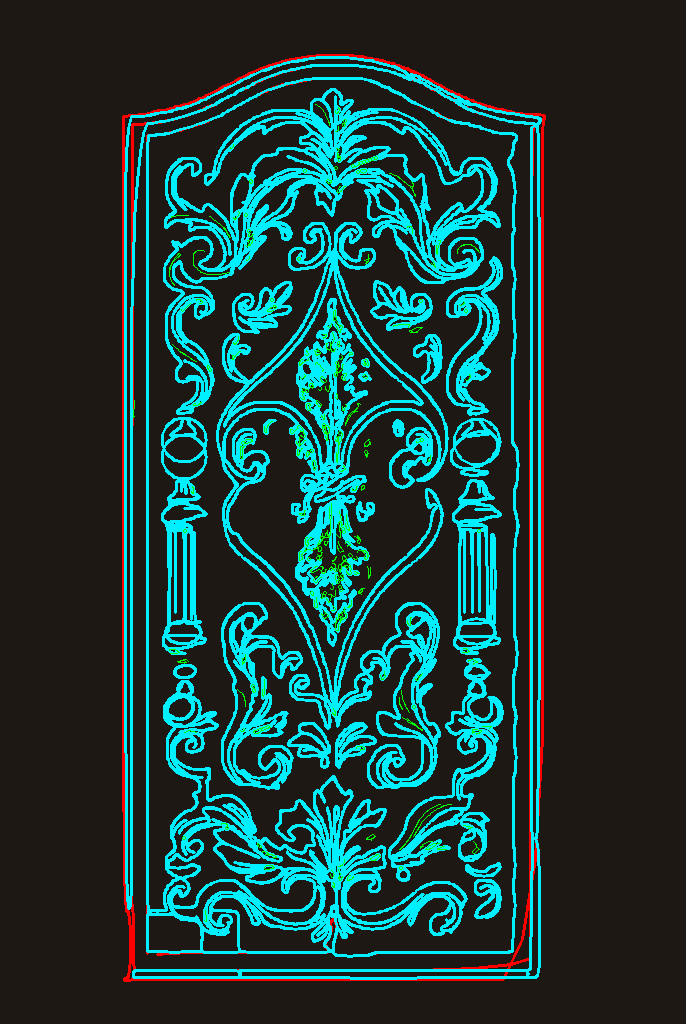
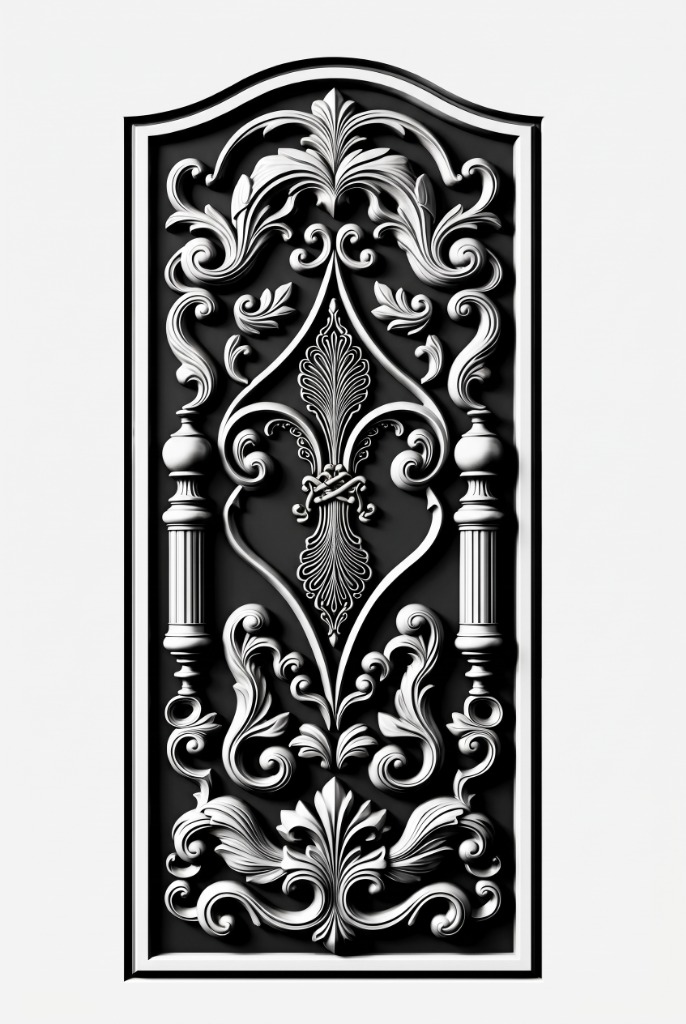
Drag the handle to compare the carved door render with the generated DXF toolpaths.
How it works
Three steps from image to machine.
Load your image
Drop a photo, logo or relief render into S2DXF Studio.
Preview toolpaths
Check the cyan, red and green layers over your image. Previews are free.
Export DXF
2D costs 5 tokens, 3D relief costs 10. Open it in your CAM software.
Featured Ready-to-Cut DXF Designs
Need instant cut files without uploading? Download curated, single-stroke CNC profiles directly from our gallery.
Grand Royal Carved Door
Single-layer R12 line-art with acanthus scrolls, stepped arch molding & turned finial spheres.
Persian Medallion Acanthus Rosette
Circular symmetrical medallion with true concentric bulge arcs and watertight junctions.
8-Fold Islamic Geometric Jali
Traditional arabesque partition lattice with built-in metal stencil bridges for laser & plasma.
Start free
Try everything for 7 days. Paid plans open soon.
Free Trial
7 days · 100 tokens
- 20 two-D or 10 three-D conversions
- Free unlimited previews
- All 3 DXF layers
- Windows desktop app
One account per person. Multiple accounts on the same computer or connection will be banned.
Image to DXF for every cutting job
S2DXF is an image to DXF converter and photo to CNC file generator for woodworkers, sign makers and fabricators.
Wood door carving and relief
Convert carved door panels, acanthus scrolls, columns and cartouches into DXF toolpaths for CNC router carving, V-carve and pocketing.
Laser cutting and engraving
Create clean cut and engrave layers for CO2 and fiber laser cutters from logos, silhouettes and line art.
Plasma and waterjet stencils
Closed, smooth contours for plasma tables and waterjet machines: signs, metal wall art, house numbers and gates.
Sign making and logos
Turn a customer logo or photo into a vector DXF in seconds instead of redrawing it by hand.
Furniture and decor panels
Vectorize decorative panels, jali screens and ornamental patterns for MDF, plywood, acrylic and aluminium.
Heritage and restoration
Copy an existing carving from a photograph and reproduce it accurately on a CNC machine.
Why S2DXF is better than auto-trace
Generic bitmap tracers leave jagged edges and thousands of tiny nodes. S2DXF is tuned for CNC output.
Clean geometry
Circles stay true circles, curves are smoothed, and tiny noise paths are removed so your machine runs fewer, cleaner moves.
DXF compatible
Exports AutoCAD R2000 DXF that opens in Fusion 360, VCarve, Aspire, Mach3, LightBurn, Fusion and most CAM software.
Works offline on your PC
Heavy processing happens on your own Windows computer. Your designs stay private.
Keywords people search for: image to dxf, jpg to dxf, png to dxf, photo to dxf converter, convert picture to cnc file, raster to vector dxf, bitmap to dxf, relief carving dxf, laser cut file maker, plasma dxf generator.
FAQ
How much does a conversion cost?
Normal 2D = 5 tokens. 3D relief = 10 tokens. Previews are free.
Does my image leave my computer?
No. Conversion runs locally. Only login and license checks use our server.
Which machines can use the DXF?
CNC routers, laser, plasma and waterjet through their CAM software.
Can I use more than one account?
No. Multiple accounts on one computer or internet connection lead to a ban.
Which image formats are supported?
JPG, PNG, WEBP and BMP. Black and white or grayscale relief renders give the cleanest result.
Which CAM software opens the DXF?
Fusion 360, VCarve, Aspire, Mach3, LightBurn, AutoCAD, CorelDRAW and most other CAD/CAM tools.
What happens after the free trial?
Your 7 days or 100 tokens end, whichever comes first. Paid monthly plans will be announced soon.